Solid vs. Hollow: When to Hollow Your 3D Prints
A Guide to Saving Resin & Why Large Solid Models Are a Trap
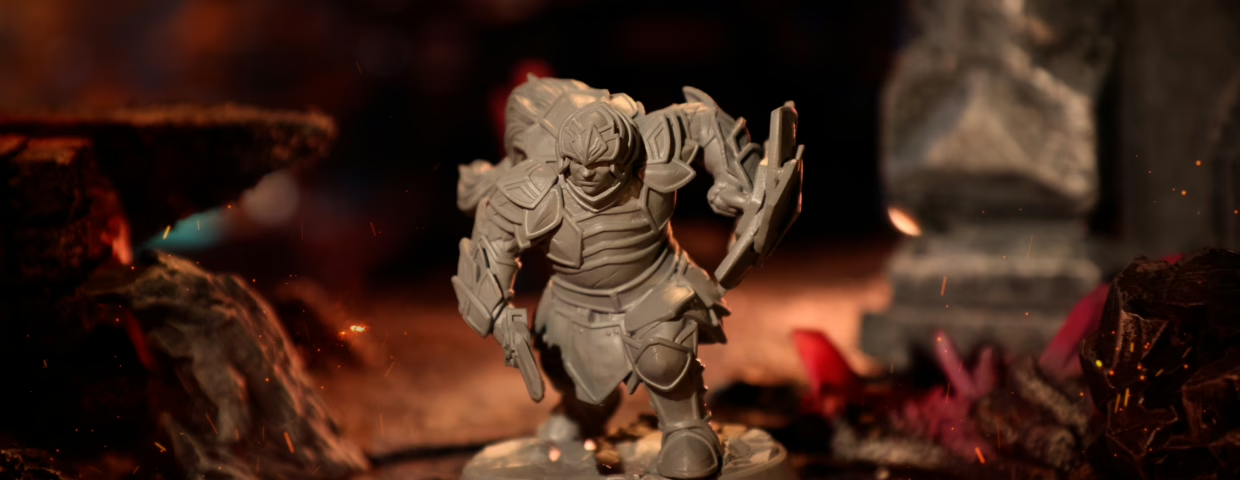
You’ve just clicked on Loot’s library and downloaded a Lychee file of a Dragon—only to realize there are two versions: hollow and solid. Naturally, you ask yourself: “Which one should I print?”
The answer isn’t “maybe” or “it depends.” There’s a clear, correct choice—and picking the wrong one can lead to a costly, toxic mess.
As experts who test-print thousands of models, we’re here to give you the golden rule, save you a ton of resin, and help you avoid the most common beginner mistake.
The Golden Rule: Solid for Small, Hollow for Large
This is the only rule you need to remember.
First things first! Here at Loot we work with 2 scales: 32mm and 75mm. However, it’s important to know that, despite being on a 32mm scale, a miniature can still be relatively big.
Miniatures are divided into 6 different sizes:
- Tiny
- Small
- Medium
- Large
- Huge
- Gargantuan
Small Miniatures (Tiny, small and even medium) SHOULD be solid. For a standard, human-sized miniature, the resin savings from hollowing are almost zero. In fact, attempting to hollow a model that small makes it fragile, and you must be even more careful when cleaning the resin inside, paying attention not to leave any residue inside (otherwise you might hear some popping noise coming from the minis after a while). All of these can make a print fail, so for tiny, small and medium minis, “solid” is the best choice for maximum durability and ease of printing.
Larger sizes (large, huge or gargantuan) MUST be hollow. This is not a suggestion; conversely, it’s a requirement for a successful, safe print. Bigger pieces have larger cross-sectional areas in each layer, increasing peeling forces.
The “Solid Print Trap”: Why You Shouldn’t Print Large Models Solid
“But,” you might ask, “won’t a solid print be heavier and sturdier?”
It is true. Printing a solid model makes it heavier and sturdier. However, when you print solid, larger models require different settings, depending on the resin and the printer model you have. It’s worth noting that it also damages your printer in the long term. If you REALLY want to have a heavier model, you can just fill it up with some cheaper material, such as plaster or anything that will make it heavier.
Hollow miniatures make the finishing process a little easier, and the curing process faster. If you decide to print a solid mini, the curing process lasts longer (way longer depending on the model), and if you do not pay attention to the possible resin residues inside the piece, you might hear that popping noise I mentioned earlier. You don’t want that, right?
The Guide to Hollowing: The Benefits and “The Hard Part”
Hollowing is the only professional, safe, and economical way to print volumetric models.
Benefit 1:
Resin Savings. The benefits are obvious. For instance, as we showed in our guide to scaling, properly hollowing a model can reduce tons of resin. Of course, it depends on the model. If you print a hollow 75mm gargantuan monster, you can save up to 90%, on the other hand, printing a 75mm human figure saves less than 10%. It’s up to you to decide whether it’s worth it or not.
Benefit 2:
Safety & Success. Ensure you cure the entire model and make it chemically stable. Hollow prints facilitates the curing process and improves the resin’s stability after post-processing.
Benefit 3:
Longer life for the FEP film. When you print hollow, you reduce the excessive use of the FEP film, making it last longer and helping you save some time and money!
“The Hard Part” (The Cons):
To do this right, your files must have two essential characteristics:
1) Internal Supports to stop the cavity from failing.
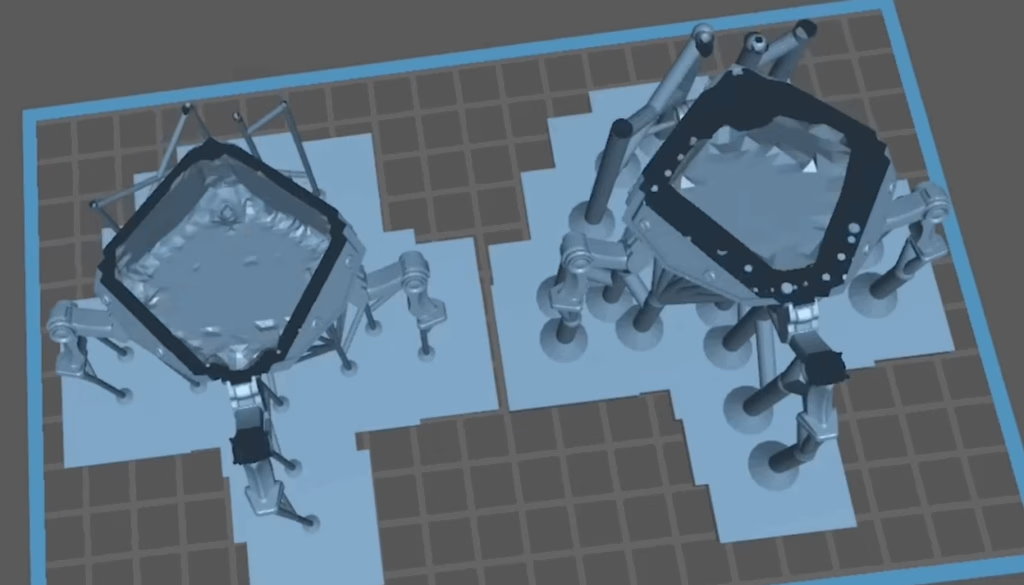
The same way we need to place supports on the exterior parts, it is also crucial to support the interior surfaces of a miniature to avoid printing problems.
2) Drainage Holes strategically placed to let resin and air escape.
During the printing process, these drainage holes help you avoid the possibility of residual resin staying inside, and also eliminate what we call suction cups. Liquid resin inside your models will consequently turn them into a resin bomb (I’m repeating myself, but you’ll thank me later for insisting on that).
It sounds too complex, doesn’t it? Well, we do “the hard part” for you! All of our models are ready for you to download, slice, and print them.
Every hollowed Loot file you download comes:
- Perfectly hollowed to a 2mm wall thickness.
- Internally supported to prevent any failures.
- Optimized with drain holes for an easy internal clean and successful print.
We don’t just sell you an STL file; instead, we provide a fully-tested, expert-engineered solution so you can skip the frustration and get right to the perfect print.
Which Loot File Should I Choose?
You don’t actually need to worry about this. From day one, our specialists curate the files and clearly indicate which models are meant to be printed, so you’re always guided toward the right choice.
If you decide to download the project file, you’ll see two versions available: Solid and Hollow. As a quick reminder:
small miniatures should be printed solid, while larger ones should be printed hollow. If you’re ever unsure whether a model counts as small or large, choose hollow—the file will only be hollow when there’s enough internal volume to make it safe and effective.
Final Thoughts
Now that you understand why hollowing is so important, you can print with confidence, knowing you’re not just saving resin, but you’re also printing a safe, stable model that will last a lifetime.
Are you confident about what resin to use for that model? If not, check our full guide on that matter.
Loot Studios can help you paint highly detailed minis, statues, terrains and props. Choose your favorite bundle from our previous releases or sign up for Fantasy or Sci-Fi to receive a new bundle every month. You can also check out some tips on our YouTube Channel.

Robert, also known as Rob, is an artist, English teacher, and lifelong RPG enthusiast. When he’s not sketching worlds or guiding learners through language, he’s diving into dice-rolling adventures and uncovering the magic that makes tabletop storytelling unforgettable. Fuelled by imagination and curiosity, Rob has spent years immersed in the RPG community, studying its stories, creatures, and creativity. He currently works in the marketing department at Loot Studios, where his passion for fantasy, minis, and the RPG universe fuels everything he does. Always with one foot in the real world and one in the realms of adventure, Rob celebrates art, language, and the joy of bringing ideas to life, whether at the table, in class, or behind the scenes.